
|

|
| ||||||||


|
|


| | | |||||||||||||||||||||||||||||||||||||||||||||||||||||||||||||||||||||||||||||||||||||||||||||||||||||||||||||||||||||||||||||||||||||||||||||||||||||||||||||||||||||||||||||||||||||||
| CATSCATS or [C]ontent [A]cquisition and [T]emplating [S]cript is a open-source content compiler and formatting script written in PHP. The main function of CATS is to manage all aspects of site content distribution from datasets returned via plug-ins that deal with various data sources for various content systems (blogs, photo galleries, file lists, database, etc. or to composite static pages to build 1 page by using multiple input pages : sitetheme.html, nav.html, body.html, etc.). IntroductionCATS is a content distribution system (CDS) as opposed to a content management system (CMS). The main difference between these is that a CDS is a zero-administration system. This means no user logins, no 'publish dates'. The focus here is on generating dynamic content that incorporates new data as soon as it's available. Think of it as 'post-&-play'. CATS utilizes a plug-in scheme for content retrieval from any type of source. This CATS + plug-in combination gives the system the ability to create dynamic web pages based on data of any source, while also allowing for customizable data retrieval processing. Using SQL-like data evaluation allows for template-driven content display. For web page generation, CATS uses simple HTML-based template files to handle keyword and field data insertion and page nesting.
No more having to run one script to handle your blog, another one to handle you online photo album, another for your file server, etc. No more having to run different scripts to deal with all you content delivery needs. CATS handles it all! To help put this into another perspective, think of CATS as "the webmaster's Crystal Reports". CATS only requirement is PHP. Plug-ins may have other requirements (a MySQL plug-in would require MySQL which should be documented in the plug-in itself and are beyond the scope of this document). CATS.PHPAt the heart of this system is the one script file: cats.php. The best thing I can compare it to is Crystal Reports (if you're familiar). This script deals with all the mundane tasks needed to be done in order to composite fill out dynamic content such as:
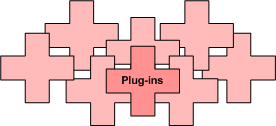
Reserved parametersCATS uses a number of reserved parameters to allow for content querying and recordset layout. Most of the parameters are optional. For more details on a specific parameter, such as usage, acceptable values, defaults, dependencies, etc., take a look at Script Parameters - A to Z. Plug-in authors should keep these in mind when deciding on their own plug-in parameter names. Reserved valueCATS has one reserved value: null. Because CATS allows you to define defaults both in the script itself and in the CATS.INI files, there may be times when you may want to reset a parameter. Any parameter set to 'null' like 'hr=null' gets UNSET(). This means that the key/value pair will appear to never have been set and will cause all ISSET() checks to report back FALSE, bypassing the code handling that parameter. In a case where the page generated isn't pulling from a data set, you can set "plugin=null" and the script will generate a static page, bypassing data retrieval and sort/search functions. QueryingI've tried to stick to using established SQL-esk argument names like ORDER, SORT, LIMIT, WHERE, as well as others to make using CATS as easy as possible for those who already have some SQL experience. Full text searches can be performed using the SEARCH and IN parameters to deal with data filtering. For complete information on all the available parameters, take a look at Script Parameters - A to Z. Plug-insPlug-ins handle all data mining and pass that to the script in an assocative array. Plug-ins can be created to retrieve data from any source your web server has access to. Plug-ins are fairly easy to create knowing a little about PHP and arrays. Most content scenarios can be achieved using one of the existing plug-ins however, they can also be used as a primer to give you a good start if you should decide to tailor one for your own needs. Plug-ins can be as simple or as complex as you like and can contain as much or as little validation checking as you wish. There are, however, three (3) basic requirements for all plug-ins:
ExamplePHP. Below, I've outlined a basic plug-in and explained each line to help get your feet wet. Most users shouldn't need to create custom plug-ins as most content systems can be run with either the files.php or text.php plug-ins that come in the CATS distribution but you can create customized output by augmenting these or building your own. Below is asimple, self contained plug-in called directory.php:
Step by step: When a plug-in is used, it receives the $aParams array ( The data returned from the directory.php plugin (if the specified 'dir' exists), gets passed to CATS in it's RAW state. CATS handles basic sorting, filtering, and slicing based on what is being requested in the call. Say you wanted only ".php" entries, listed alphabetically by name, and only records 4-6:
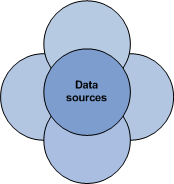
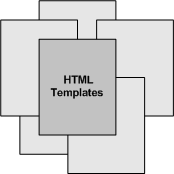
If you find that the amount of filtering you desire from the built in CATS functions are limiting you can specifically code a plugin to OMIT (or add) certain entries as well, if the need to generate a different dataset is required. Once all the operations on the dataset are done. CATS can being the process of filling in the record template with the data values here via record tokens. This just one example of what can be accomplished via plug-ins. Now that you know where the data is formatted, where can we get data from... Data sourcesAs mentioned above, anything you have access to can be utilized with CATS via the plug-in scheme and a specifically coded plug-in for the data type your dealing with including but not limited to: blogs, photo galleries, link lists, file lists, MP3 repository lists, RSS feed reading, databases, ..., basically anything. TemplatesCurrently CATS can use up to 6 user-definable templates in the construction of any page. The 6 template parameters are:
Template parameters are typically defined in the cats.ini file so you don't have to keep typing them in every query string. Any of the cats.ini definitions can be over-ridden by passing the parameter with a new value via the query string. Further readingIf you're new to CATS, I suggest reading my CATS Primer for Webmasters to get a little of the background and design philosophy. After that, you'll want to take a look at the Installation Guide - Step by Step. If you already have CATS installed, review the Script Parameters - A to Z. Lastly, when you start creating your own templates, take a look at the Template Tokens write up. Enjoy! | | |||||||||||||||||||||||||||||||||||||||||||||||||||||||||||||||||||||||||||||||||||||||||||||||||||||||||||||||||||||||||||||||||||||||||||||||||||||||||||||||||||||||||||||||||||||||
| | | |||||||||||||||||||||||||||||||||||||||||||||||||||||||||||||||||||||||||||||||||||||||||||||||||||||||||||||||||||||||||||||||||||||||||||||||||||||||||||||||||||||||||||||||||||||||




|
|