shrum.net :: Code :: Dir2Subs

|
Dir2Subs
|
| A utility for
taking a folder of files and placing them into subfolders based on X
number of characters in their filename. Useful in brfeaking down a
single folder with A LOT of files by creating subdirectories based on
the beginning X number of chars of the filename. |
| |
This app will allow you to quickly take a large folder of files and MOVE them
into a sub folder structure based on a user definable number of first
characters.
It's Windows-based, open source (GNU),
and solely written, maintained, hosted, and supported by me, Sean Shrum. Source code is written with
AutoIT (.au3) and the
most recent version can be found via the source link in the navbar above. If you're just looking for the latest binary build, it can be downloaded from
the binary link in the navbar as well.
My music collection, photo library,....they're huge! I've been
storing all the content into single folders but it is apparent that pretty much
all file systems today tend to choke on folders with over 10,000 files in them
but it's even more of a pain downloading a file list with this many entries in
it. Got the idea when I tried to d/l a file listing of my music lib from
my NAS to my broadband phone. :( When I got home, I made this small util
to allow me to take a folder with a lot of files and have it create subfolders
that match the beginning x-number of letters in the filename and then move the
files in them. Can also be used on collections of filenames that are date based
(20070624-354.jpg->2007). Pretty self-explanatory; just answer the prompts
(source, destination, # of chars).
2 modes: Simply run the utility or call in via a batch file for silent mode.
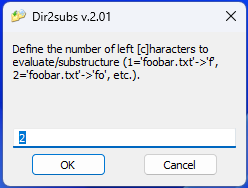
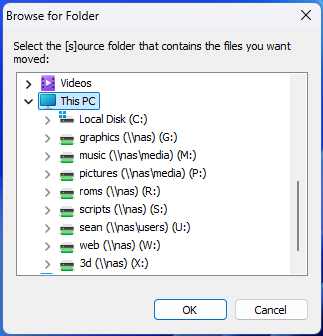
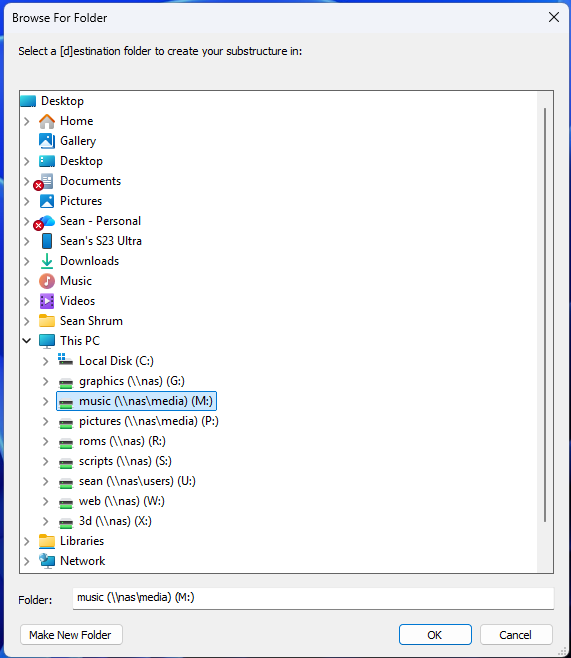
If you launch the app directly, you will get the following screens. You will
be prompted for a the number of characters to use in the breakout, a
source directory, and a destination directory (will default to the source).
If you want to set up a batch call to the utility, the parameters are S (for
[s]ource), D (for [d]estination), and C (for number of [c]haracters) in any
order. Source and destination can be the same, subfolders will be created directly in
the source folder. If your pathname contains spaces, wrap them with dbl-quotes.
If the destination parameter is omitted, it will default to the source folder.
dir2subs s=c:\files d="d:\the breakout" c=2
dir2subs c=2 s=m:\music
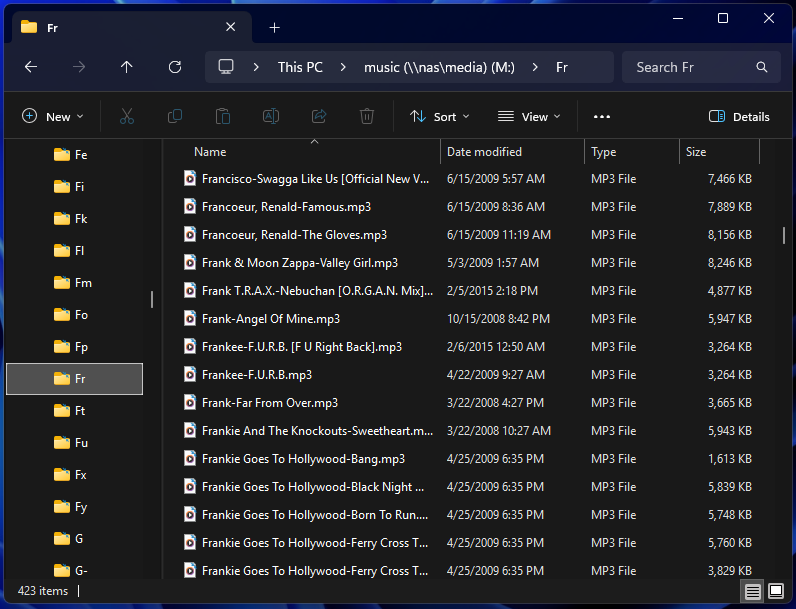
You will end up with something like this.
Q. Will Dir2Subs work with subfolder files as well?
A. No. This utility is designed to take one folder of files and
break them out into subfolders. The problem with doing subfolder
content is that there can be files with the same name in different folders
and that poses a number of programmatic issues that I didn't want to have to
deal with (eh, I'm lazy).