Relocate

|
Bubbletip
|
| A small utility to allow for bubbletip
notifications when used in batch files. |
| |
Bubbletip is just that...a bubbletip generator. That thing that pops up in
the lower right corner of your primary screen with pearls of wisdom. Use it in your batch
scripts if you want some sort of VISUAL notification as your batch files
run. This is similar to my
Talker project that allows for AUDIBLE notifications.
It's Windows-based, open source (GNU),
and solely written, maintained, hosted, and supported by me, Sean Shrum. Source code is written with
AutoIT (.au3) and the
most recent version can be found via the source link in the navbar above. If you're just looking for the latest binary build, it can be downloaded from
the binary link in the navbar as well.
For a complete look at the documentation and options behind the Autoit traytip
function, see
Function TrayTip.
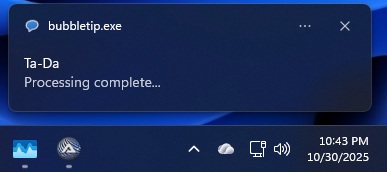
NOTE: As of 10/30/2025, the ICON argument under Windows 11 is not working (no
icon is displayed).
This is something that will need to be addressed in a future release of AutoIT
in the event that this is still an available option in Windows 11 traytips.
I do A LOT of batch files on my own home network and in my professional work.
I often run batch scripts that do a lot of things over a long period of time.
Bubbletips gives me a VISUAL indicator as my batch files do their stuff.
Bubbletips takes 4 arguments (in any order):
- [T]itle; the title to display in the bubbletip
- [M]essage; the message to display in the bubbletip (required)
- [I]con; icon to display...0=none (default), 1=info, 2=warning, 3=error
- [S]econds; the number of seconds to display the tip (default=10)
Make sure that if your values have spaces in them (and they most likely will)
that your enclose them in quotes. Examples:
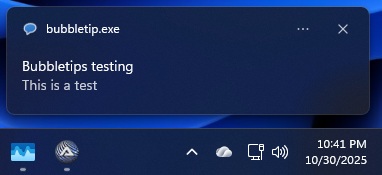
bubbletip.exe t="Bubbletips testing" m="This is a test" s=10
bubbletip.exe t=Ta-Da m="Processing complete..." i=1 s=20